


Why Your Techs “Hate” Inspections (And How I Fixed It)
By Scott Osborn – ASE Master Technician, Author of “Making Smart Choices“. Scott is an ASE Master Tech with 50+ years of experience helping shops grow through better communication
I hear it from shop owners every single week: “Scott, my techs just aren’t doing the inspections. They say they don’t have time, or they just pencil-whip the forms.” I get it. I’ve been that tech with five cars in the lot and a Service Advisor breathing down my neck. When you’re in the zone, a 20-minute paper inspection feels like a lead weight tied to your wrench. But as a shop owner, I also know that those skipped inspections are where your profit—and your customer’s safety—goes to die.
After 50 years in this industry, I realized we didn’t have a “lazy tech” problem; we had a “bad tool” problem. Here is how I used technology to turn inspections from a chore into a profit-driver.
What’s Really Killing Your Inspection Quality?
In my shops, I identified three main “friction points” that make even the best technicians skip steps:
- The Time Suck: Your techs aren’t lazy, they’re busy. If an inspection takes 20 minutes of handwriting and hunting for a Service Advisor, it’s not going to happen during a rush. I designed Repair Shop Solutions to cut that down to 5 minutes or less.
- The “Vague Checklist” Syndrome: Ask three techs what a “full brake check” means, and you’ll get three different answers. I fixed this by building my own standards directly into the software. Now, every tech follows the same “Scott-approved” logic, ensuring consistency across every bay.
- The Feedback Void: Most techs think inspections are just “busy work” for the front desk. They don’t see the results. When I added real-time dashboards to the shop floor, my techs could finally see their own approval rates. Suddenly, it wasn’t paperwork anymore—it was a scorecard they wanted to win.
How I Make Technology Work for the Tech
When I was building this software, I kept one thing in mind: It has to be faster than a clipboard. * Hands-Free Notes: I added voice-to-text so techs can keep their gloves on. Saying “Front pads at 3mm, recommend replacement” is 10x faster than typing it with greasy fingers.
- Point-and-Shoot Evidence: One tap captures a photo and drops it exactly where it belongs in the report. No more downloading SD cards or emailing photos.
- The “History” Advantage: My favorite feature? The ability to see what was recommended last time. If a tech sees that we noted “Yellow” on the tires four months ago, they know exactly where to look first today. It makes them look like a pro to the customer.
It’s About Culture, Not Just Code
You can’t just buy software and hope for the best. You have to lead. In my training sessions, I tell owners to do three things:
- Set the Standard: “Every car gets a DVI. No exceptions.”
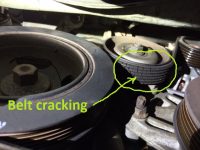
- Show the Wins: When a tech captures a photo of a cracked belt that leads to an $800 approval, announce it in the shop meeting.
- Track the Data: I use my software’s reporting to show my team: “Our completion rate went from 60% to 95%, and our ARO followed right behind it.”
The Master Tech’s Bottom Line: A quality DVI doesn’t just make you money—it protects you. Digital records are your best legal defense, and they are the best way to turn a one-time visitor into a loyal customer who trusts you with their family’s safety.
My software was built by a tech, for techs. If you’re tired of the “inspection struggle,” let’s talk.
Ready to see how I can help your team work smarter? Schedule a demo with my team today.