


DVI – Copying Info From the Previous Inspection
A Tech can see and copy over information from the previous inspection. This will show up if the car has previously used the same template. We’ve made it very simple to use, and hopefully, this will put an end to having to leave the inspection to see previous recommendations.
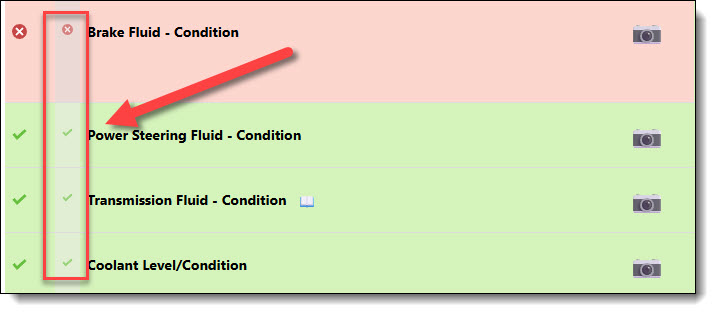
When the Tech is inspecting a car that has a history, there is a new column that shows up to the left of the task description, and it is slightly grayed out:
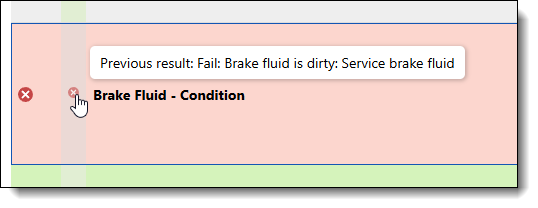
If you hover over the icon, you will see the previous recommendation, which shows the result of the last inspection. It looks like this:
To copy the info from the last inspection, click the icon to copy the finding and recommendation from the previous inspection. If there are photos from the previous inspection, you can choose to copy those too.
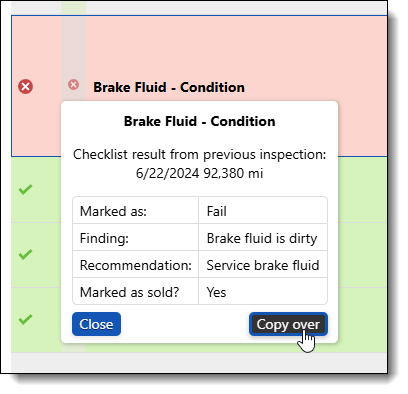
In this sample, you can see that the brake fluid service was previously recommended, and you can simply copy it over. If you follow up and mark items as sold during your audits, it will show the tech that the previous recommendation has been addressed.