DVI – Limit the Number of Days a Customer Can View Their Digital Inspection Report
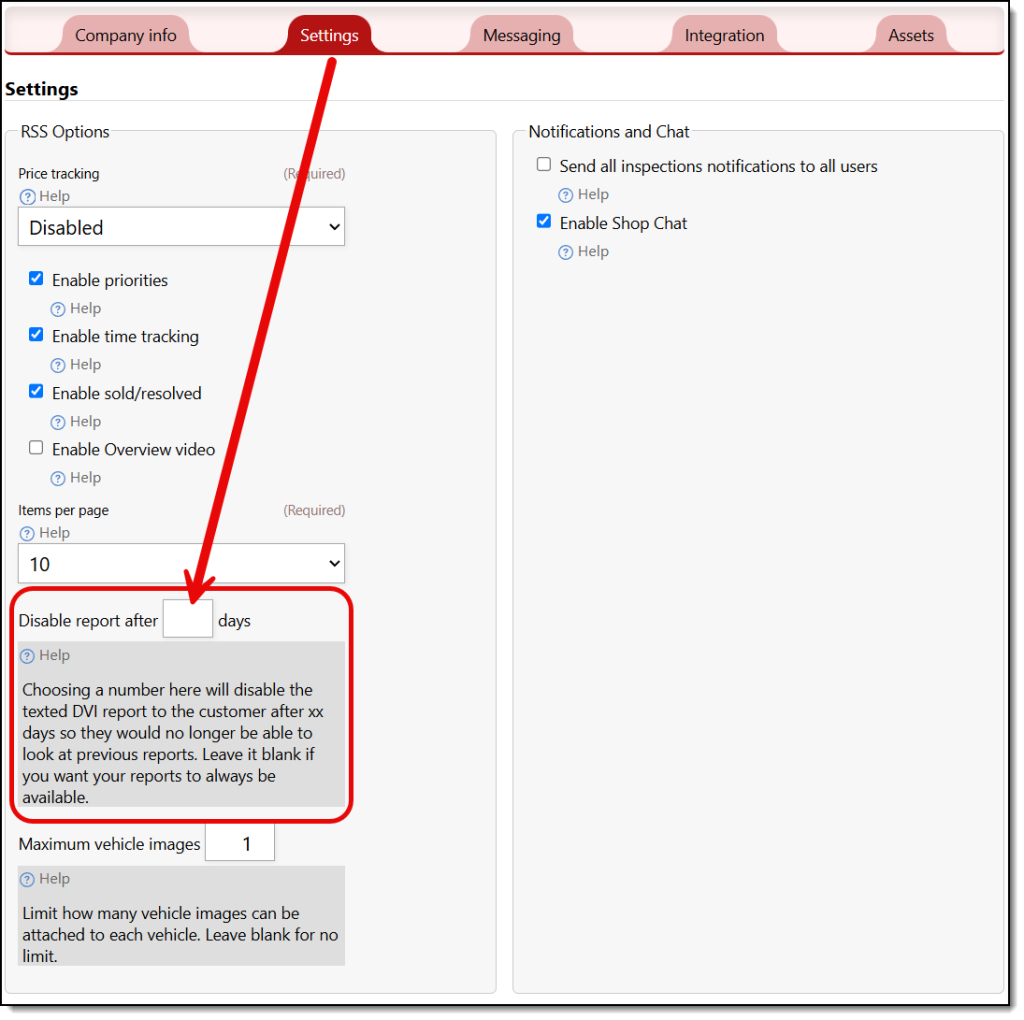
When you text your customer their inspection, you can limit how many days they can view it. The reasoning behind this is simple: maybe you don’t want them to use it to shop around for services, or maybe you want to force them to call you for the report. Or, maybe you want to leave it available for them in the distant future. The choice is yours. To set a default number of days, go to Settings/Shop Settings, and on the settings tab, there is an option to disable the report after X days. Simply add your number and save the changes.
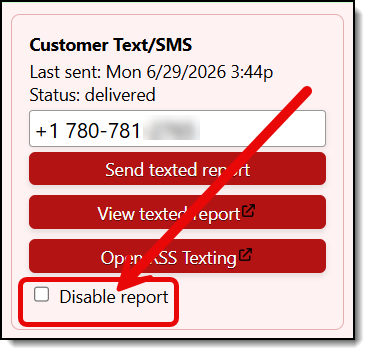
You can also immediately revoke access to a texted report if the customer has declined your offers and you want to prevent them from showing the report to your competition and shopping for price. In the same form you send the customer the texted report, there’s an option to disable the report immediately. If you opt for that, the customer will no longer be able to access the report; it will appear as an expired link.