


What Tekmetric Users Want in a DVI — And Where to Find It Today
By Scott Osborn – ASE Master Technician, Author of “Making Smart Choices“
Tekmetric is a solid shop management system with one notable gap — its DVI feature set. Thousands of independent auto repair shops run their business on it every day. But if you’ve spent any time on Tekmetric’s feature request board, you’ve seen something interesting: their own customers are frustrated with the DVI.
Not with Tekmetric overall — specifically with the inspection tool.
We went through every Tekmetric DVI feature request in the Inspections category on their Canny feedback board. We counted the upvotes. We read the comments. What we found was striking: the features Tekmetric users want most are features Repair Shop Solutions has already built.
Here are the top requests — straight from Tekmetric’s own community — and how RSS handles each one today.
1. Prompt for Mileage When a Technician Starts an Inspection
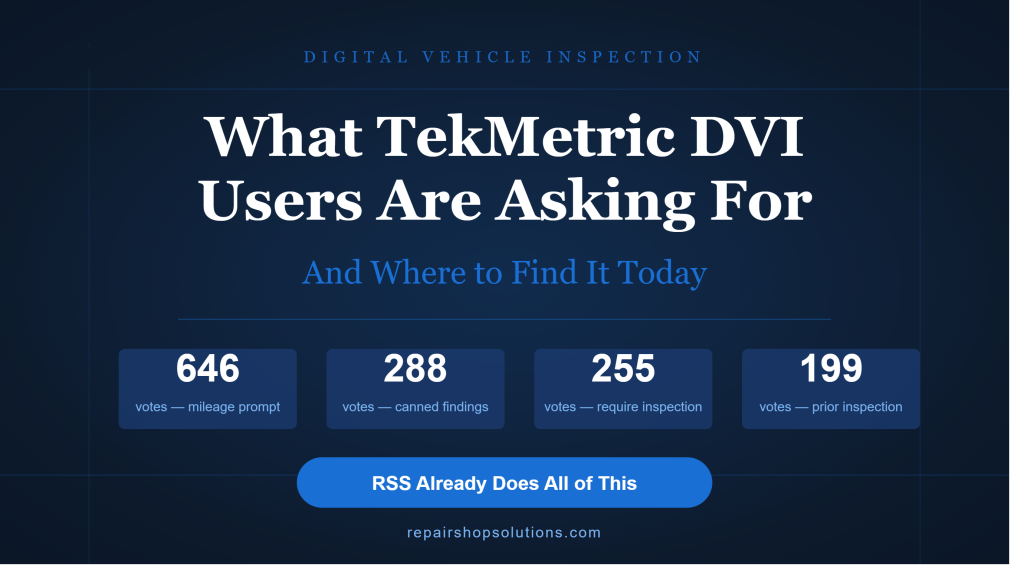
646 upvotes on Tekmetric’s feedback board
This is the single most requested DVI feature in Tekmetric’s entire history. Shops want the system to require mileage entry before a technician can start or complete an inspection. Without it, mileage gets skipped, odometer records are inconsistent, and maintenance interval tracking breaks down.
One commenter put it simply: “So many times I find a car where techs miss the mileage and I’m checking them and can’t get mileage yet.”
How RSS handles it: Mileage entry is built into the inspection workflow. Shops can require it before the tech proceeds. No workaround, no reminders — it’s just part of the process.
2. Canned Jobs Tied to Inspection Findings
288 upvotes
Tekmetric users want canned jobs linked to specific findings, not just inspection tasks. The difference matters: a coolant line item might produce a fluid exchange recommendation if the fluid fails a test, or a pressure test recommendation if it’s leaking. Two different findings, two different canned jobs — but Tekmetric only supports one mapping per task.
How RSS handles it: Each finding maps to its own canned job. Different findings on the same inspection line automatically trigger different recommended jobs. The estimate builds itself based on what the tech actually found.
3. Show Previous Inspection Results During a New Inspection
199 upvotes
This is one of the most important features in the DVI category and one of the most painful gaps in Tekmetric. When a tech opens a new inspection, they have no visibility into what was found or recommended on the last visit. This creates consistency issues among technicians, leads to embarrassing moments when a prior recommendation disappears from a new inspection, and forces advisors to manually dig through service history.
One Tekmetric user described the scenario directly: “Previously, we recommended front brakes and a trans service. The customer approved the brakes but not the trans service. But the inspection today says the trans fluid is just fine. The customer looks at you like you’re an idiot.”
Another user explained the deeper problem: “Having the last inspection shown beside the current inspection so we can see what was found and recommended last service would be so good for consistency between technicians.”
How RSS handles it: When a tech opens a new inspection, all unaddressed items from prior visits automatically carry over and are ready to verify. The tech can confirm each one, update findings, or clear it if the work was done. Nothing falls through the cracks, and nothing disappears between visits. Advisors never have to dig through service history to remind a customer what was deferred last time. And, we allow the tech to simply copy over the info, photos, and notes from the previous visit
4. Private Technician Comments Separate from Customer-Facing Notes
109 upvotes
Tekmetric users want two separate note fields on each inspection line — one private for the tech and advisor, one customer-facing. The problem they describe is common: advisors edit tech notes to make them more customer-friendly and, in doing so, lose the original technical detail the tech recorded.
One shop owner explained it clearly: “The technician puts in notes under what they are recommending and why, and our advisor goes in and changes those notes so they are more digestible to the guest. We then lose the notes the technician left. There should be 2 spots for notes, one private, and one customer facing.”
How RSS handles it: We can mark notes as “Internal,” which means the shop can see them, but they will not be sent to the customer. Advisors can polish the customer copy without losing what the tech actually wrote. Both are preserved on every line item.
5. Prioritize Red, Yellow, and Green Findings in the Right Order
107 upvotes
Customers need to see urgent findings first. When a shop sends an inspection report with safety-critical items buried randomly in the middle of a list, customers miss them — and advisors have a harder time selling the work. Tekmetric users have been asking for auto-sorting that puts red findings at the top, yellow in the middle, and green at the bottom.
One shop put it bluntly: “Having these randomly listed is too visually confusing and makes the service advisors’ job tougher than it needs to be.”
How RSS handles it: The customer-facing inspection report automatically sorts findings by severity. Urgent items appear first. Green items appear last. The customer sees the most important recommendations first, which translates directly into faster approvals and higher sell-through rates for critical work.
6. AI-Generated Technician Notes
93 upvotes for autocorrect alone — RSS goes further
Tekmetric users asked for basic autocorrect because technician notes were going to customers with spelling errors. Ninety-three shops upvoted that request. One user wrote in all caps: “DOESNT LOOK PROFFESIONAL TO THE CUSTOMER.”
How RSS handles it: RSS integrates ChatGPT directly into the inspection workflow. Techs don’t type notes — the AI writes them. A technician marks a finding, and the AI automatically generates a professional, complete, customer-facing recommendation. No typos. No grammar issues. No inconsistency between techs. The inspection report reads the same way whether it was written by your most experienced advisor or your newest hire.
7. Customer Notification When Inspection Is Viewed
79 upvotes
Shops want to know the moment a customer opens their inspection link so they can follow up while the customer is actively engaged. Tekmetric sends an email when the inspection is complete but doesn’t notify the advisor when the customer actually views it.
How RSS handles it: RSS tracks customer viewing activity and notifies the advisor when the customer opens the inspection link. The advisor knows exactly when to pick up the phone — while the customer is still looking at the report.
8. Add Pictures of the Service Writer and Tech to the Customer Report
140 upvotes
Shops want the inspection report to feel personal. Customers trust people, not software. Seeing a photo of the technician who inspected their vehicle and the service advisor presenting the findings changes the dynamic of the interaction entirely.
One shop owner said it well: “It makes it more personal.”
How RSS handles it: RSS supports employee photos on the customer-facing inspection report for both the technician and the service advisor. It’s a small detail that makes a meaningful difference in how customers receive the inspection.
9. Unlimited Characters in the Findings Field
123 upvotes
Tekmetric caps technician findings at 1,000 characters. For shops doing thorough inspections on complex vehicles, that’s not enough. Techs either truncate their notes or find workarounds that add extra steps to the workflow.
How RSS handles it: No character limit. Techs write as much as the finding requires. A detailed explanation of a complex suspension issue doesn’t get cut off mid-sentence.
10. Show the Inspection Before the Estimate
169 upvotes
When a shop sends a customer their inspection and estimate together, Tekmetric puts the estimate first. That’s backwards. Customers who see the dollar amount before understanding what was found are more likely to push back or decline. The inspection should tell the story first — here’s what we found, here’s what it means — and the estimate should follow naturally from that.
Tekmetric users have been asking for this order to be flipped for years.
How RSS handles it: The inspection leads. The estimate follows. Every customer-facing report RSS sends puts the findings and photos first so the customer understands the condition of their vehicle before they ever see a price. When the story is told in the right order, the estimate makes sense — and approvals happen faster.
The Bigger Picture
Of the 65 most-voted DVI feature requests on Tekmetric’s feedback board, Repair Shop Solutions already delivers 56 of them — 86%. The nine we don’t cover are almost all payroll and time-tracking features that belong in a shop management system, not a DVI tool.
That’s not a coincidence. RSS was built in 2011 specifically as a DVI platform by ASE Master Technicians who run their own shop. The tool wasn’t designed to be a feature of something bigger — it was designed to do this one thing better than anyone else.
The result is a DVI that Midas, NAPA, and independent shops across North America have used to perform millions of inspections. One long-time customer described it this way: “No hard-to-break contracts — in fact, no contracts — making it an easy option to try out a DVI without a big financial risk. Reward is the only thing you’ll find with RSS.”
What RSS DVI Delivers
- AI-generated tech notes via ChatGPT integration
- Photo and video evidence up to 1GB per inspection
- CARFAX vehicle history integration
- Previous inspection carry-forward — unaddressed items appear automatically on every return visit
- Unlimited users, unlimited inspections
- Works on any smartphone or tablet — no special hardware
- Integrates with 20+ shop management systems including Tekmetric, Mitchell, RO Writer, NAPA Tracs, Shop-Ware, and others
- $200/month flat — no contracts, no per-user fees
See It for Yourself
If your shop is on Tekmetric and you’ve upvoted any of the features described above, it’s worth 15 minutes to see what RSS DVI already does.
Book a demo at calendly.com/rssdemo/15min or visit repairshopsolutions.com.
Repair Shop Solutions has offered web-based Digital Vehicle Inspections since 2011. Scott Osborn is an ASE Master Technician with over 50 years in the automotive trade and the founder of RSS.